
edatahub ED-SLink
The edatahub ED-SLink series multi-interface industrial debugger from Wuhan Shuentropy Technology Co., Ltd. drives the mobilization and digitalization of industrial debugging. The device supports RS485, RS232, Ethernet, CAN, or TTL communication interfaces — a portable solution built for on-site industrial debugging.
The edatahub ED-SLink is a multi-interface industrial debugger covering RS485, RS232, Ethernet, CAN, and TTL communication interfaces, built for on-site industrial debugging. Connect to the ShangLing app over BLE for serial debugging, frame monitoring, and Modbus debugging — ideal for troubleshooting and inspection at mixed-protocol sites.
What application scenarios suit the edatahub ED-SLink?
Mixed-protocol sites: debugging, inspection, and troubleshooting for RS485/RS232 serial devices, Ethernet devices, and CAN bus devices — one tool covers multiple buses.
HarmonyOS app
Search for "ShangLing" in the app store
WeChat mini program
Search for "ShangLing"
Web version (PC browser)
Visit https://edatahub.cn/sling.html#/
What should I keep in mind when using the ED-SLink?
Connect the matching interface for your site's bus type and make sure parameters such as baud rate and parity match the slave. Fully charge before first use, then connect to the ShangLing app over BLE to start debugging.
1. Bluetooth connection: pair the device from within the app — no need to connect it in the system Bluetooth settings. 2. Mini program can't find Bluetooth? Check two items in order:
- whether system Location (location services) is enabled;
- whether "Nearby devices" and "Location" permissions are granted for WeChat;
3. Operating modes: the edatahub ED portable debugger offers two working modes:
- BLE-to-RS485 (wireless): connects over Bluetooth;
- USB-to-RS485 (wired): works like a standard USB-to-RS485 adapter and requires your own Type-C cable.
USB mode: double-press the power button twice to start data transmission on the corresponding channel. The device then acts as a USB-to-RS485 serial adapter (RS485 by default; single-press to switch channels);
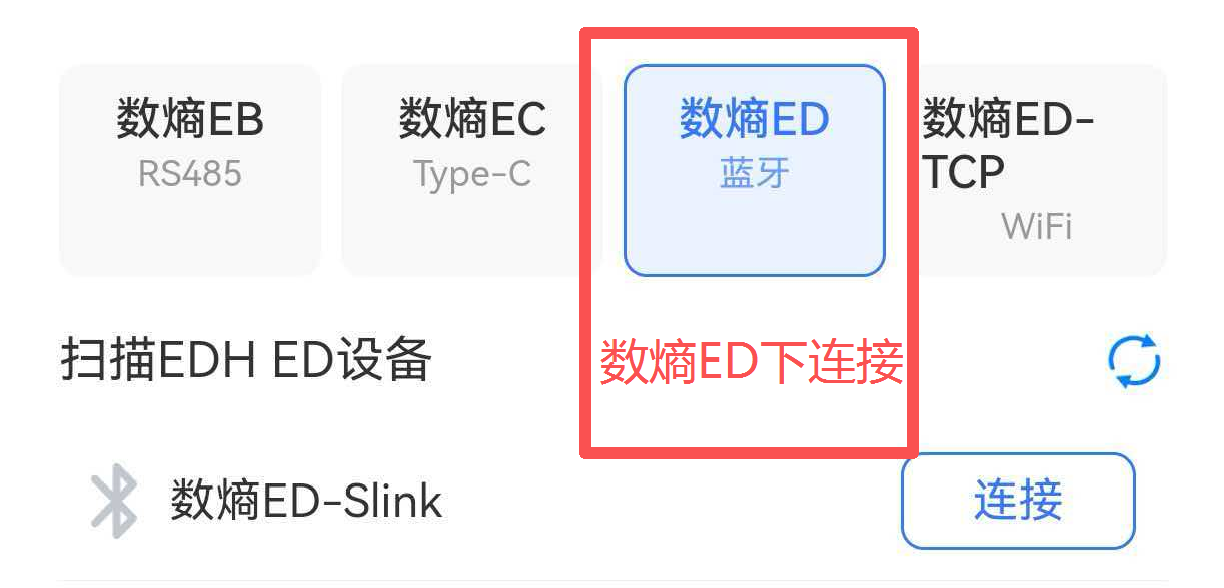
4. This product belongs to the edatahub ED series — for Bluetooth connection, connect under the edatahub ED model entry.
5. Ethernet data connection
The TCP Ethernet connection communicates with the ShangLing app on your phone over Wi-Fi.
There are two Wi-Fi options: 1) use the device's own hotspot and connect your phone to it for data communication; 2) use your phone's hotspot.
Device Wi-Fi hotspot
In your phone's system Wi-Fi settings, connect to the edatahub ED-SLink hotspot (no password — connect directly). Then open the Modbus master TCP page, tap connection settings, and configure the TCP channel. Once connected, Modbus TCP slave data is read automatically.
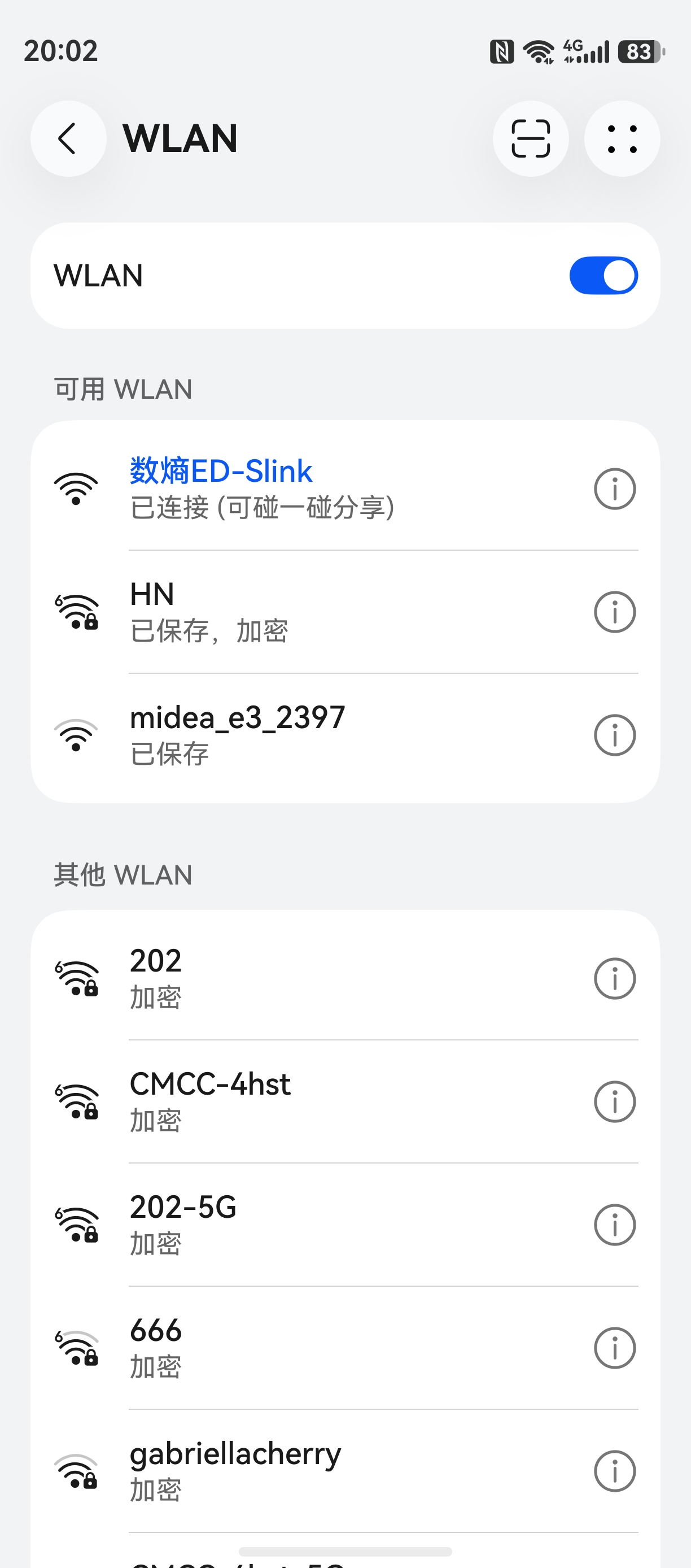
Connect to the device hotspot
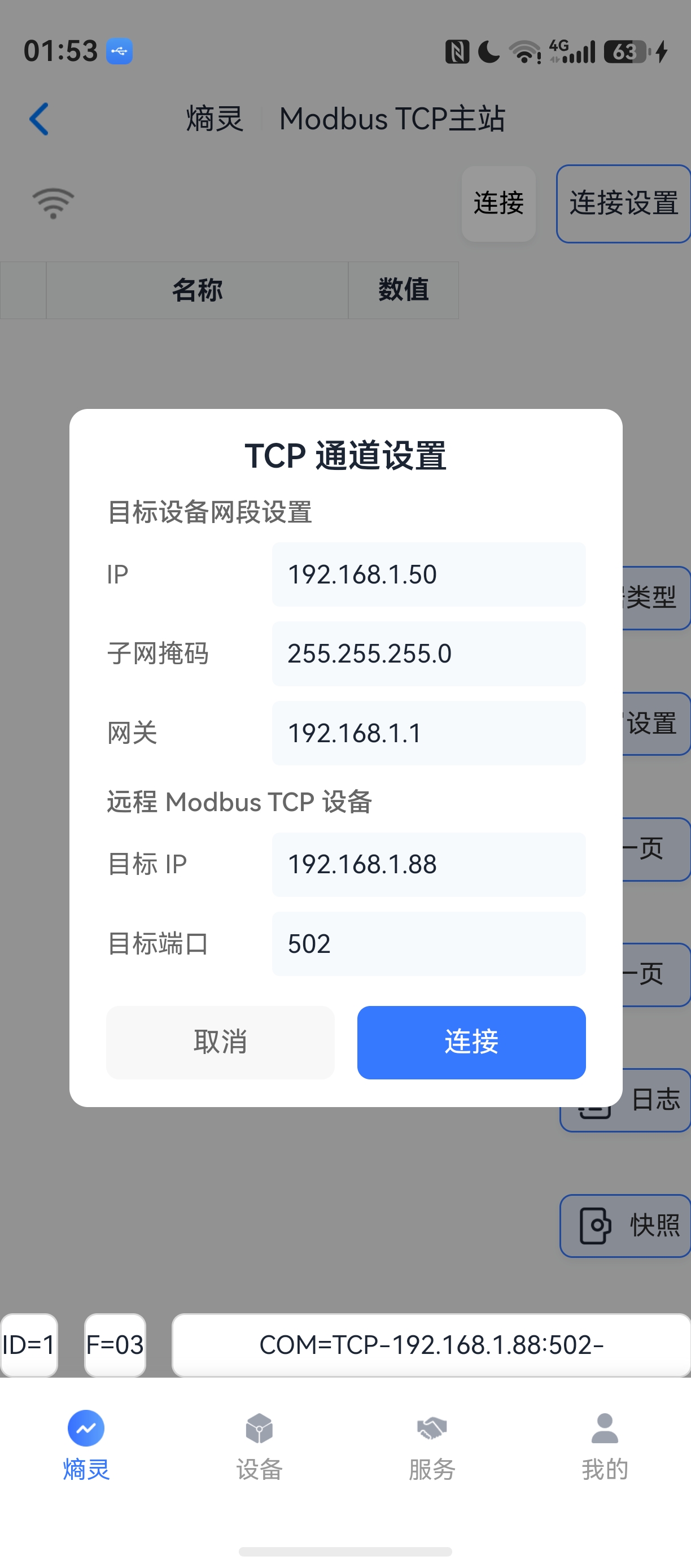
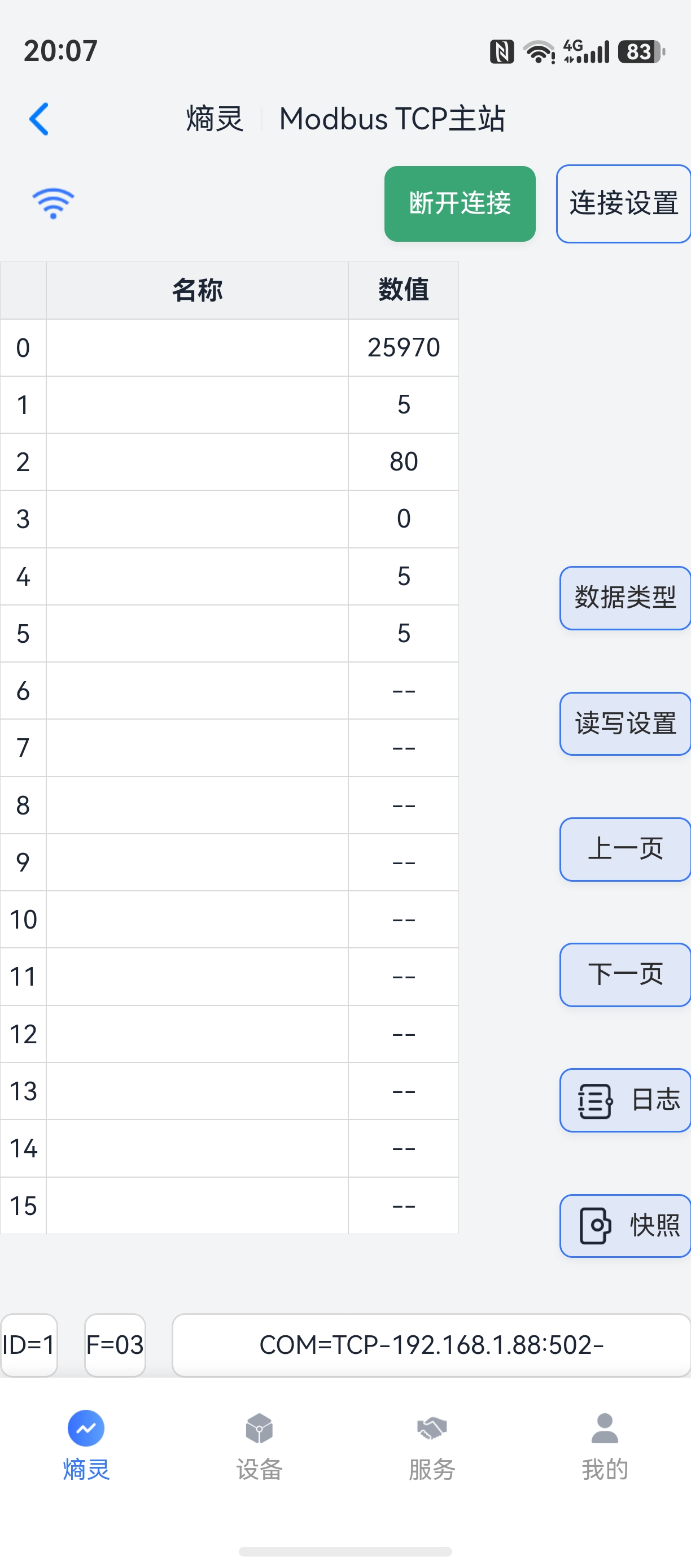
2) Phone Wi-Fi hotspot: not recommended for now — it is a bit cumbersome;
turn on the phone's Wi-Fi hotspot and configure the network in the router provisioning page.
USB data mode
Quickly press the power button twice to enter USB data mode. RS485 is the default; single-press to switch the data channel. After switching, connect the corresponding data interface for communication.
What debugging features does the ShangLing app offer?
Four core features — serial debugging, serial monitoring, slave search, and Modbus master — with HEX/ASCII transmission, Modbus RTU/ASCII frame parsing, and log export.
Supports serial communication protocols including Modbus master, Modbus slave, serial messaging, slave monitoring, DL645-2007, and CJ188. To adapt other serial protocols, contact our technical team (WeChat: edatahub-cn).
How do I build custom development on the ED-SLink?
BLE characteristics and serial parameter protocols are open, with custom-development documentation and code examples. You can build a dedicated host application or mini program on the ED-SLink.
The edatahub ED portable debugger is open to businesses and individuals with development capabilities, supporting integration of device communication into their own apps for diverse use cases. As of August 9, 2026, 8 companies have applied it to device debugging, firmware upgrades, and more.
How do I contact edatahub for custom features?
Submit custom development requests via the edatahub.cn website. We can build dedicated debugging tools for your device protocols and support onboarding communication protocols onto the edatahub OS data platform.
We can build a dedicated phone debugging tool for your hardware, enabling efficient debugging and maintenance of your devices.
FAQ
Which communication interfaces does the ED-SLink support?
RS485, RS232, Ethernet, CAN, and TTL — a single ED-SLink covers debugging at sites with mixed-protocol devices.
How do I choose between the ED-SLink and the ED-N2-RS485?
For RS485/TTL-only scenarios, the ED-N2-RS485 is lighter. For multi-interface sites needing RS232, Ethernet, or CAN, choose the ED-SLink — decide by your site's bus types.
Which app does the ED-SLink use for debugging?
The ShangLing app or the WeChat mini program. After connecting over BLE Bluetooth, you can use serial debugging, serial monitoring, slave search, and Modbus master.